![neticle_w.svg]](https://neticle.com/hubfs/neticle_w.svg)
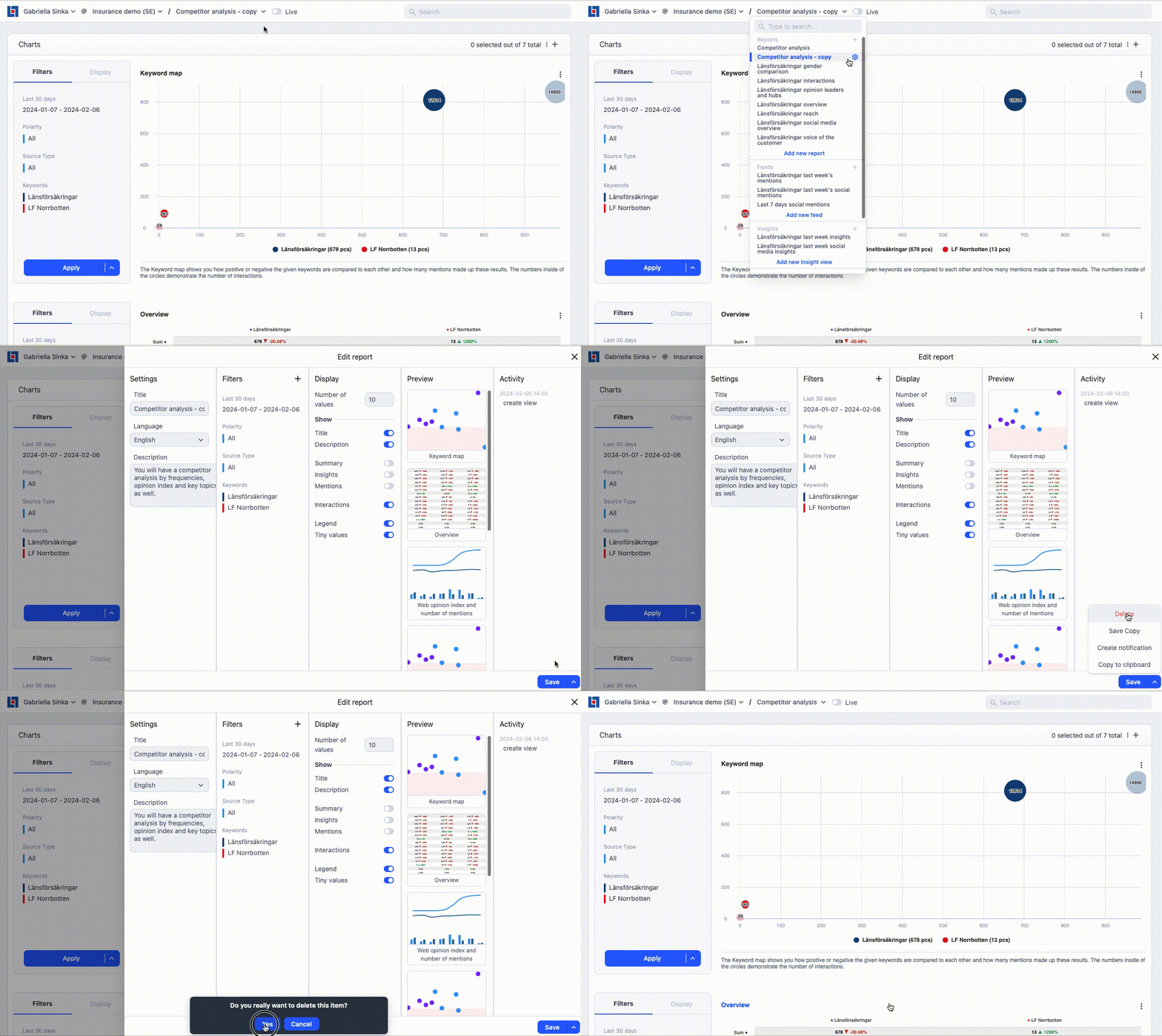
- Locate the report you wish to delete: Identify the specific report view that you want to remove from your Neticle Media Intelligence account.
- Access report settings: Look for the cogwheel icon next to the report. It appears in the drop-down menu or toolbar associated with the report view.
- Open report settings: Click on the cogwheel icon to open the report settings for the selected report.
- Find the delete option: Within the report settings, search for a chevron icon (often depicted as an upward-facing arrow or triangle) located next to the save button in the settings interface.
- Click on the chevron icon: Click on the chevron icon to expand the additional options available for the report.
- Select delete: From the expanded options, you should see a delete option. Click on it to initiate the deletion process for the report.