![neticle_w.svg]](https://neticle.com/hubfs/neticle_w.svg)
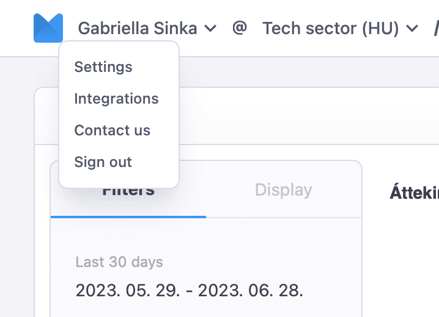
By clicking on your name in the upper left corner, you can reach the side menu that includes, from top to bottom:
- Personal settings
- Integrations
- Contact us
- Sign out
Then comes the Profile name (in case of having multiple profile accesses, there is a dropdown menu to pick the profile you want to work in).
The main menu’s focal point is of course where the data is visualized. The next dropdown menu contains: Report views, Charts, Feed views.