![neticle_w.svg]](https://neticle.com/hubfs/neticle_w.svg)
1. Managing Users and Profile Access
The Users tab within Profile Management displays all users who currently have access to the selected profile. From this section, NMI users can add default users and manage their profile access.
How to Add a User to a Profile
- Navigate to the desired profile in NMI and open Profile Management.
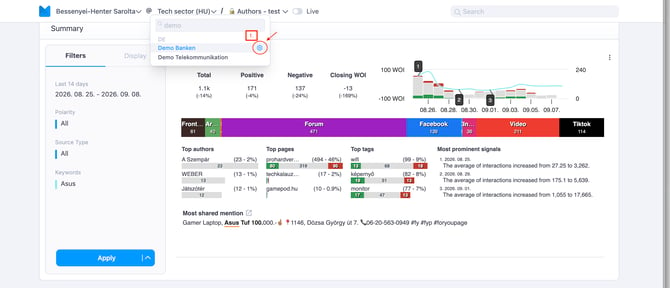
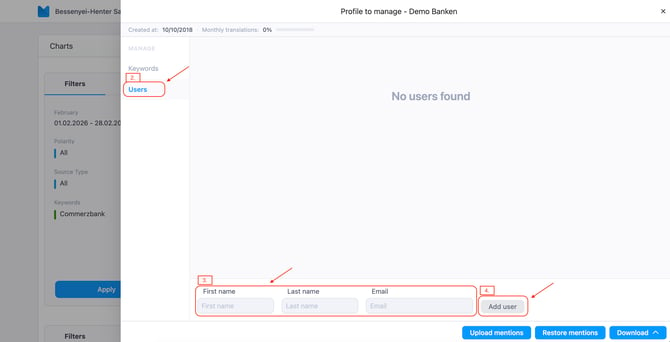
- Select the Users tab.
- Enter the email address of the user you want to add.
- Click Add User.
System Logic
- If the email address already exists: The system will grant the existing user account access to the selected profile.
- If the email address does not exist: The system will automatically create a new user account and send a welcome email to the user.
2. Password Reset
Users can reset their passwords independently directly from the login screen.
- Self-Service: Users can initiate a password reset on their own from the login page.
- Email Notification: Upon requesting a password reset, every user will receive an email notification containing instructions to set up their new password.