![neticle_w.svg]](https://neticle.com/hubfs/neticle_w.svg)
If a mention was accidentally deleted but is still relevant, you can easily restore it via the platform.
The Keyword Management interface can be accessed by clicking the cogwheel next to the keywords or by clicking the settings button (cogwheel) next to the client's profile.
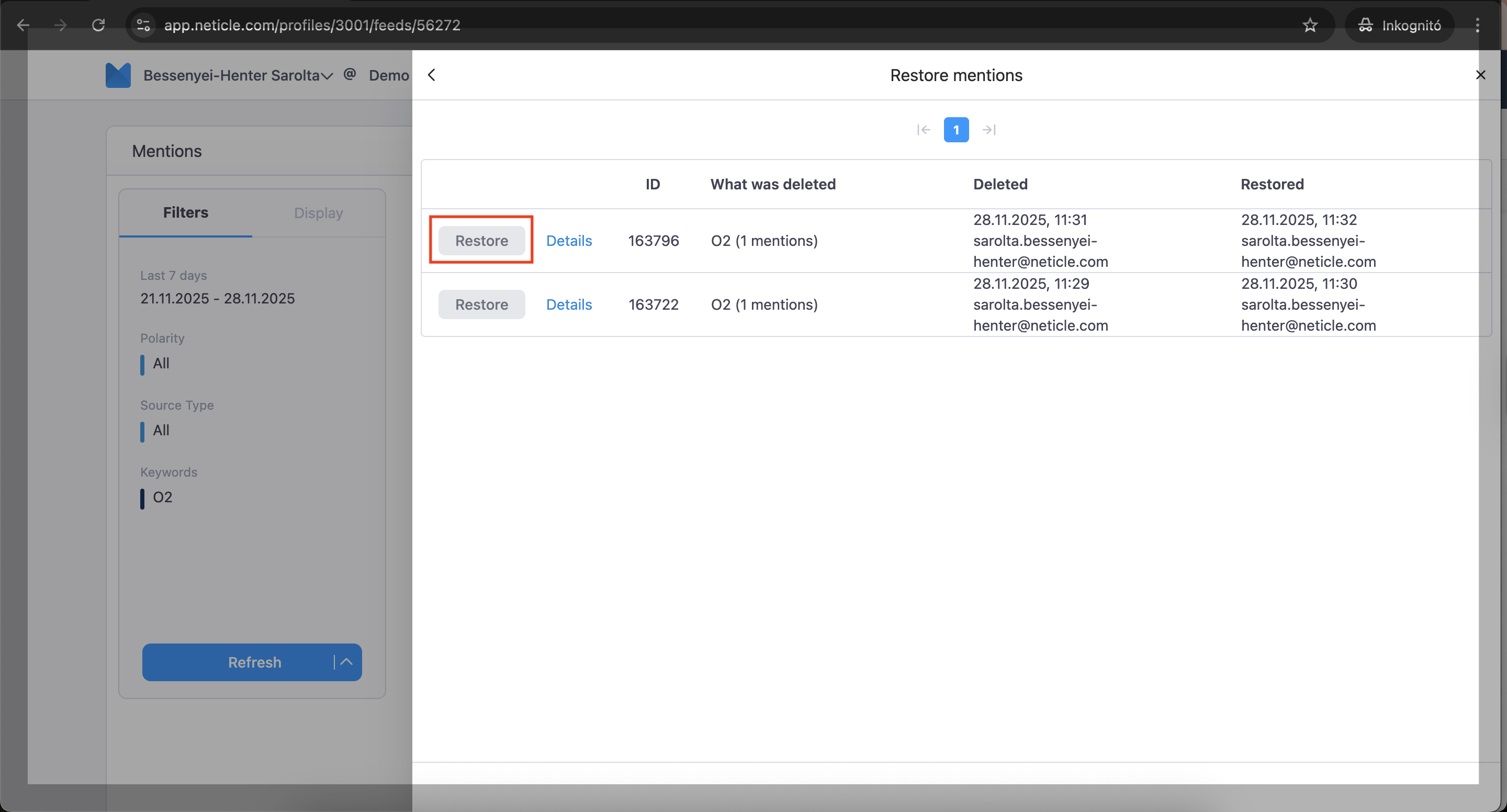
At the bottom of the pop-up page, click the 'Restore Mentions' option. This will display all previously deleted mentions. To restore a specific mention, click the 'Restore' button next to it, and the mention will immediately be available on the dashboard again.
The video below demonstrates how to use the 'restore mention' feature
Another option from where you can access the 'restore mention' function.
1st step:
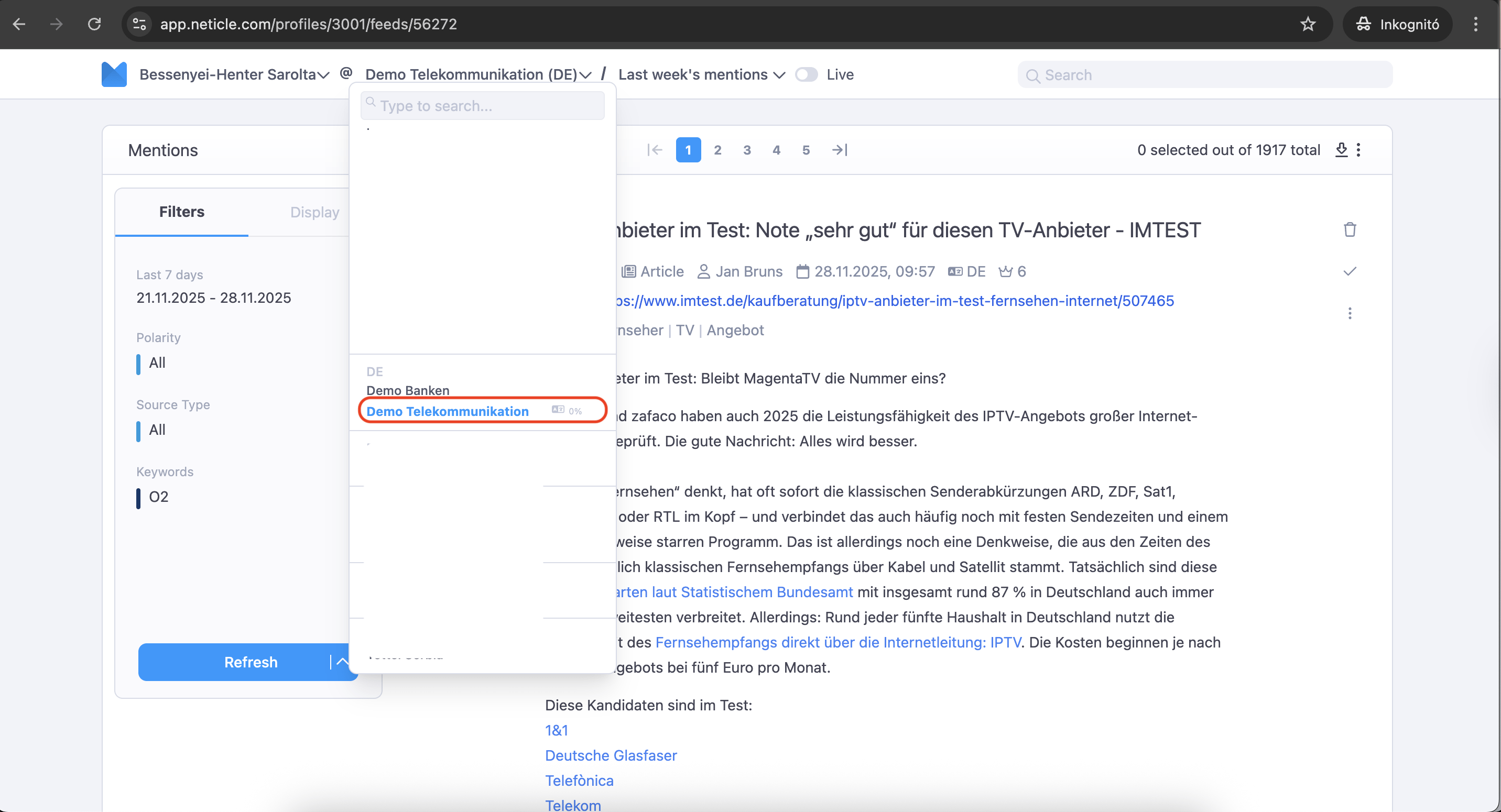
2nd step:
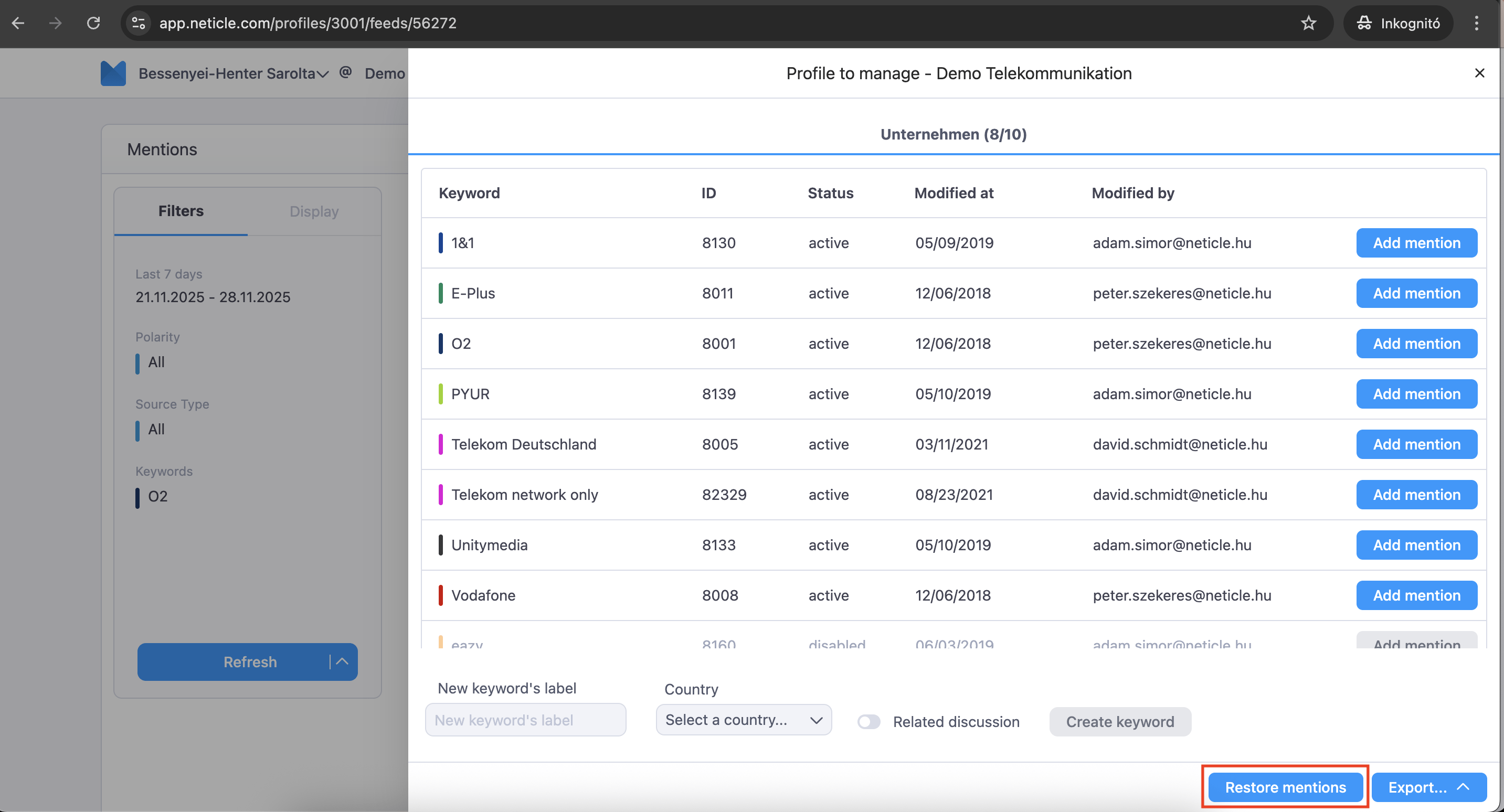
3rd step: